Multi-accounting on LinkedIn requires a great deal of caution. Why? Because the platform does not prohibit companies from managing multiple accounts, but it does not allow one employee to create more than one personal profile. More importantly, social networks have long learned how to detect manipulation.
Suppose you have rented several accounts from Outzeach and now need to run them on the same device. This means you need a safe environment to work with them so that:
- The platform's anti-fraud systems do not detect that all the profiles are being managed by the same person;
- If one account gets restricted, the others remain unaffected.
Sure, you could create separate Google Chrome profiles for multi-accounting and assign a different proxy or VPN to each one. But tech giants can easily recognize tricks like this 😁
You could also try running different accounts in different browsers, but there is another problem: anti-fraud systems analyze not only your IP address and browser parameters, but also device parameters. As a result, the system can still determine that multiple profiles are being managed by the same person.
The only way to prevent identification, isolate profiles from one another, and therefore reduce the risk of bans is to use an antidetect browser + proxies + the account's digital environment.
What Is an Antidetect Browser and How Can You Use It with Outzeach?
An antidetect browser creates an isolated environment for each account with a unique set of data:
- cookies;
- browser history and cache;
- User-Agent;
- operating system parameters and screen resolution;
- language and time zone;
- Canvas, WebGL, WebRTC, and other graphics and audio-related parameters.
The combination of these parameters is called a fingerprint (digital fingerprint).
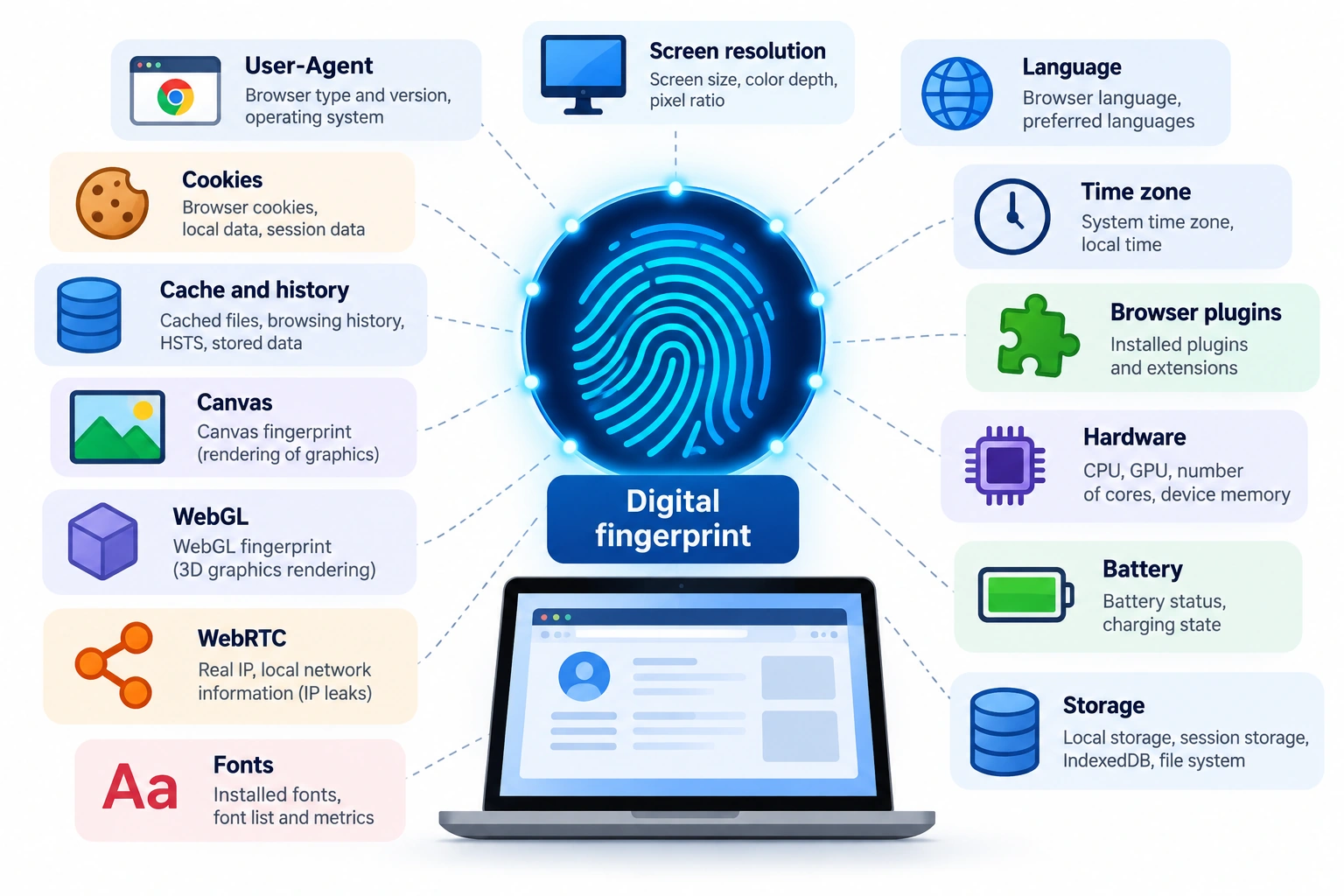
A fingerprint is your digital identity. An antidetect browser allows you to create new digital identities, each of which looks like a unique user to LinkedIn and other platforms. A new digital identity with its own unique fingerprint is packaged into a browser profile (BP, or simply a profile).
To make this easier to understand, let's launch two browser profiles in Dolphin Anty. One profile uses a French proxy, while the other uses a Romanian proxy.
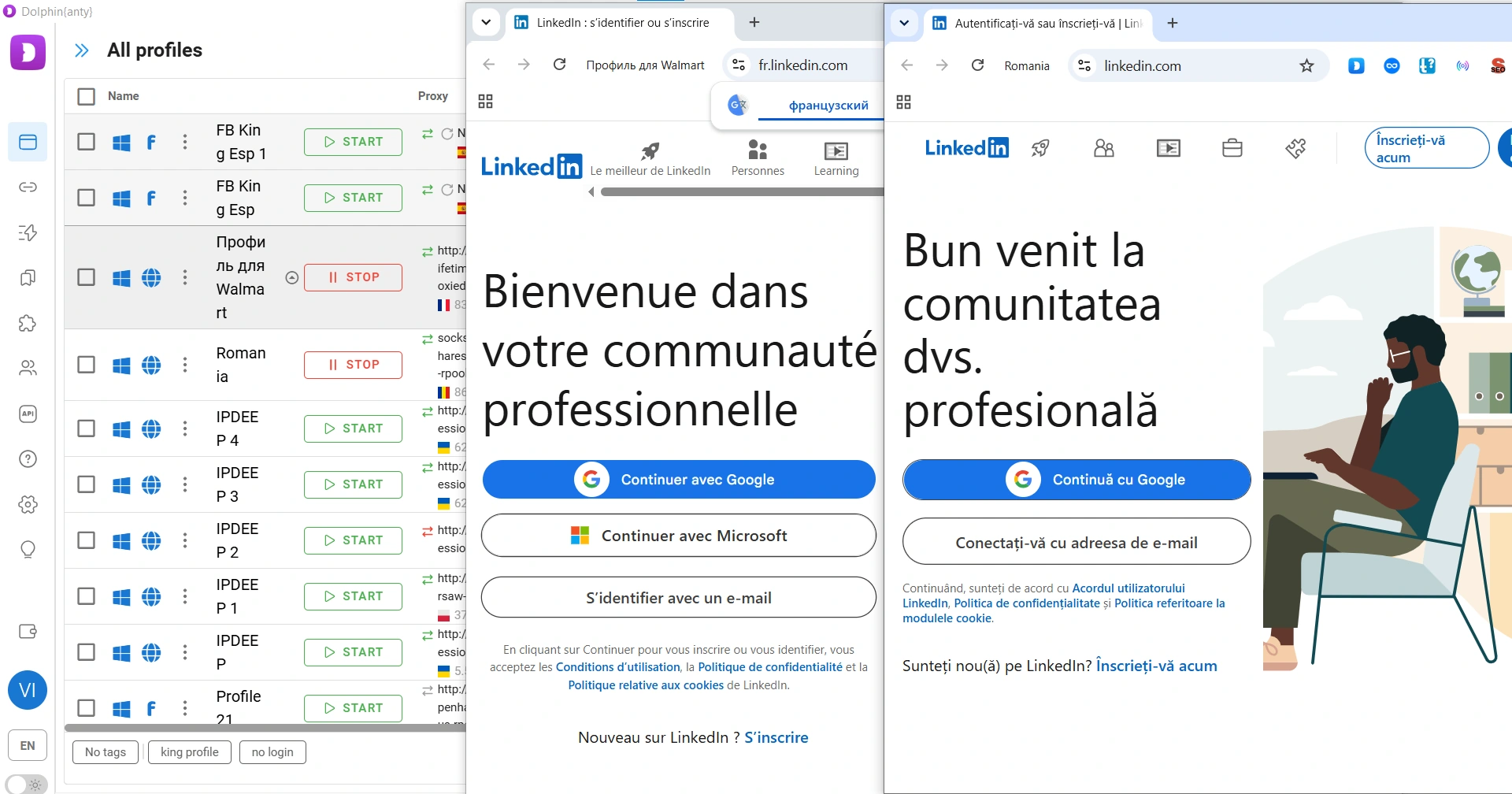
Notice that LinkedIn automatically detected two different locations in the browsers. With an antidetect browser, you can create as many browser profiles with different locations as you need.
But there is an important point! An antidetect browser does not change your IP address, so you also need proxies. And if you buy a ready-made LinkedIn account, an antidetect browser and a proxy alone are not enough. You also need the account's digital environment because anti-fraud systems analyze cookies, browsing history, browser settings, and other individual characteristics. If these suddenly change, even while the IP address remains the same, the fingerprint will change as well.
Outzeach essentially provides a ready-to-use setup: the account login and password, a proxy, and the LinkedIn account's digital environment (browsing history, cookies, etc.) as a file.
You need to upload this file to Dolphin Anty using bulk import.
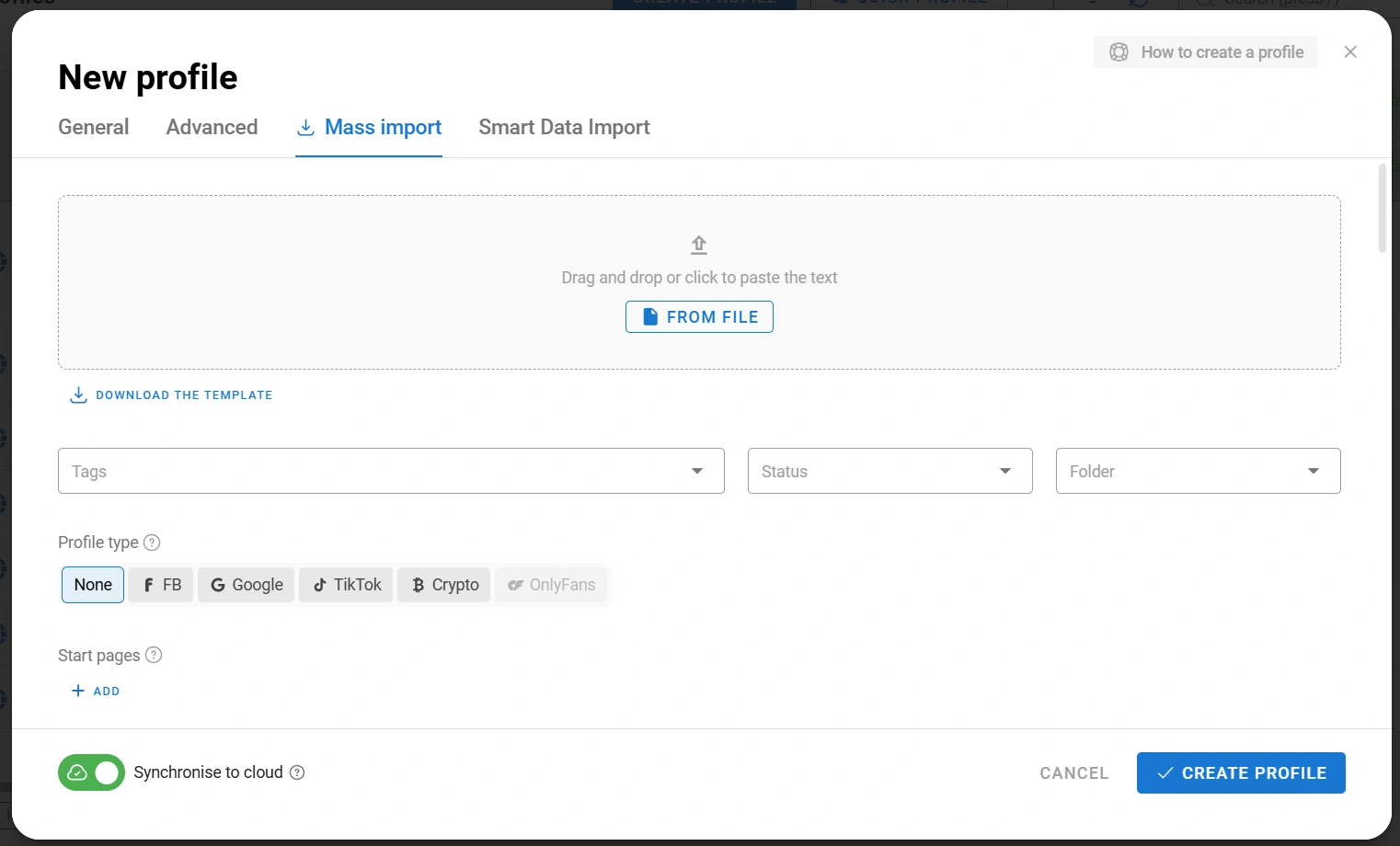
Once the files containing the data have been added, one or more ready-to-use profiles will appear. They will already contain proxies and logged-in LinkedIn accounts registered to real users.
How to Use Dolphin Anty: Key Antidetect Browser Features
It is important not only to obtain accounts and add them to an antidetect browser, but also to understand its main features that can be useful for multi-accounting across different platforms.
Creating Browser Profiles
Suppose you need a new digital environment that does not overlap with your LinkedIn accounts. Click "Create Profile" and complete the basic steps:
- Give the BP a name so you can quickly find it in the list and understand what it is used for;
- Add a proxy.
These are the required steps.
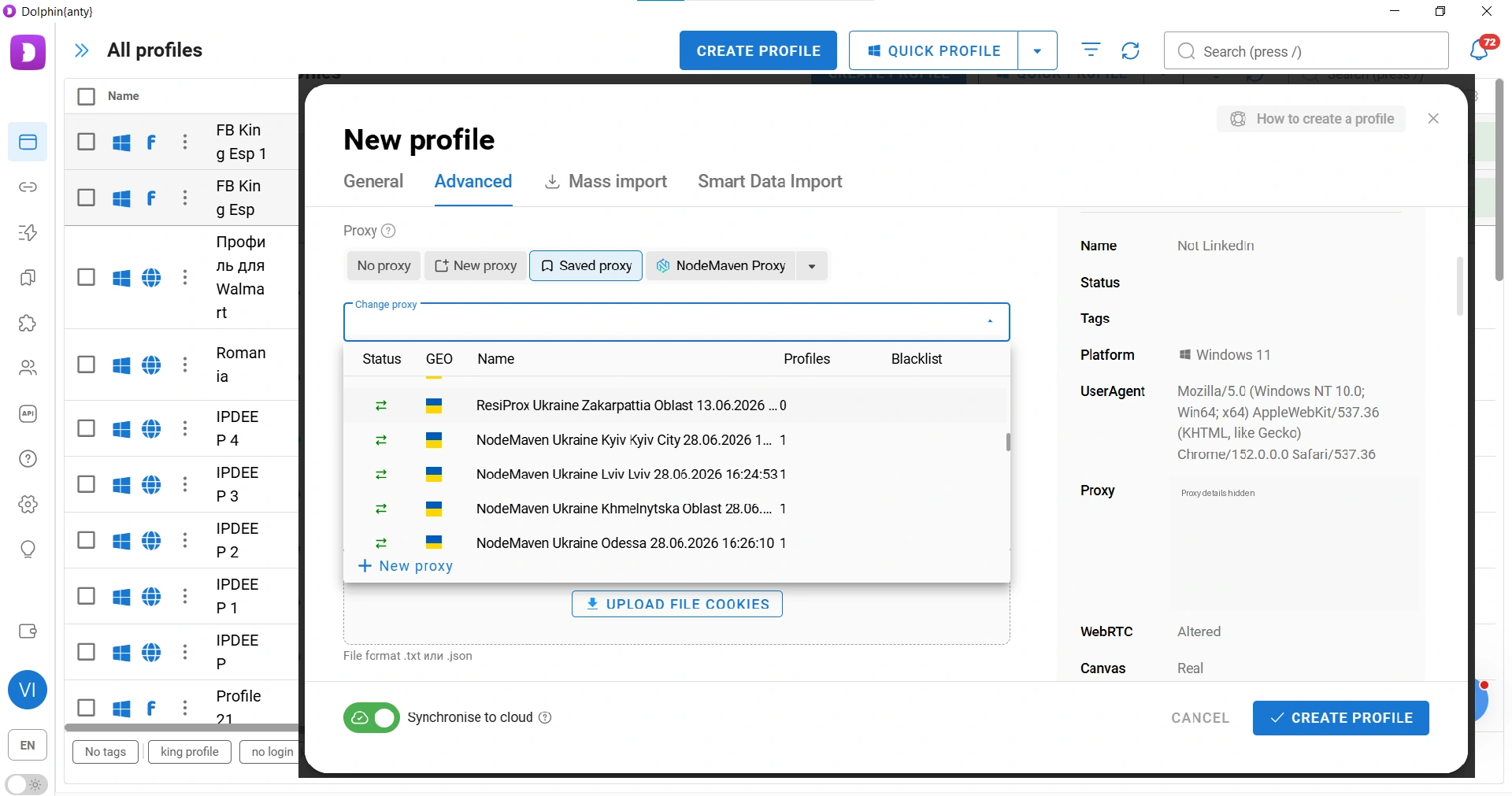
The remaining steps (adding cookies, selecting the profile type, setting startup pages) are optional. You can also configure digital fingerprint parameters manually, but we do not recommend doing so unless you know exactly how they work.
Once you have created the browser profile, you should check it. Let's launch the BP and open PixelScan.
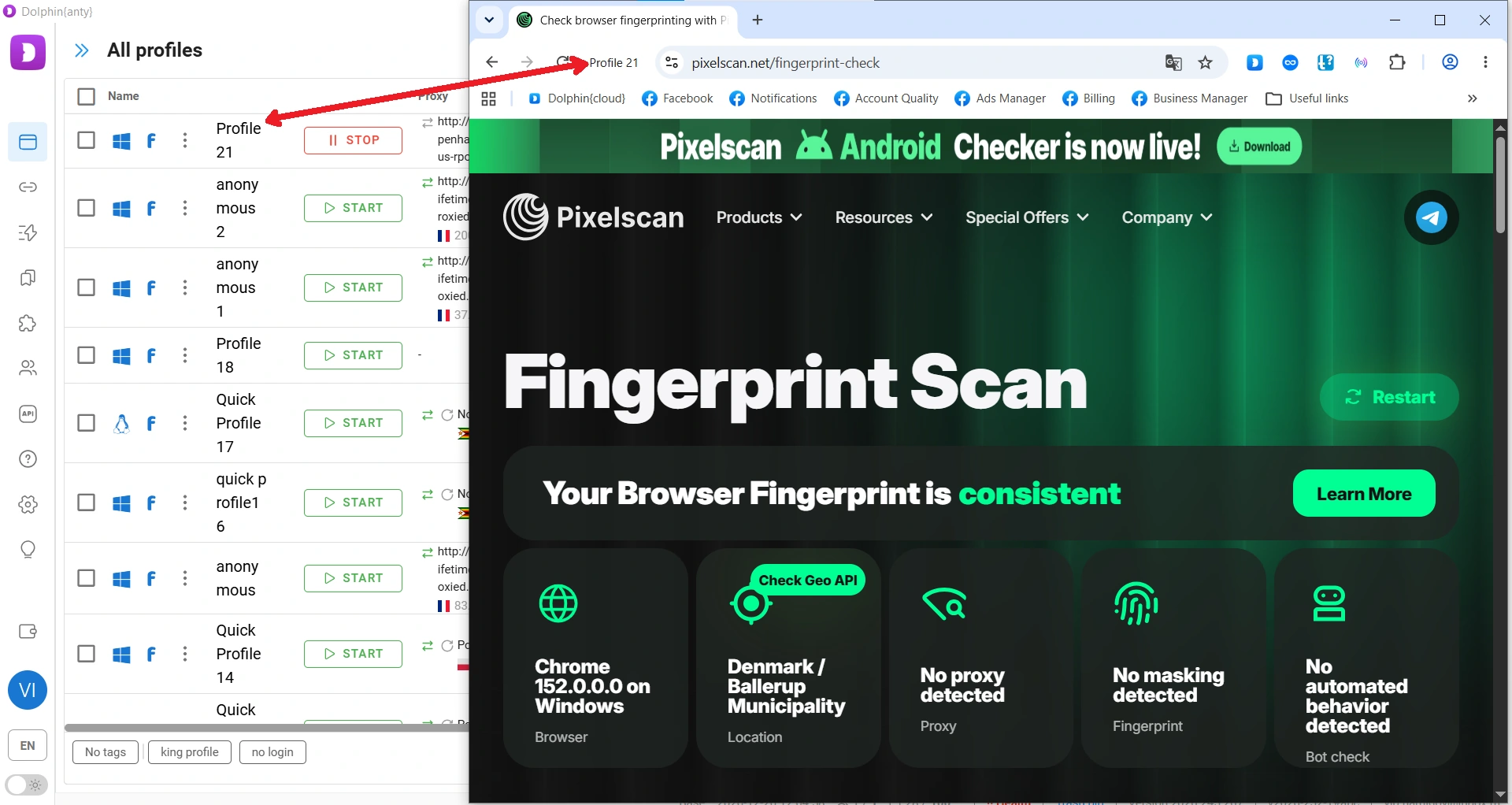
The result in the screenshot shows that we have created a good browser profile and connected a high-quality proxy. This makes the BP look trustworthy to anti-fraud systems, including LinkedIn's.
Managing Profiles
Once browser profiles have been created, you can manage them individually or in bulk. Select several profiles, and you can:
- Launch and close them;
- Open them in the Synchronizer;
- Run automated scripts (Scenarios);
- Change proxies;
- Update fingerprints;
- Export them to local storage. This is actually what we do at Outzeach: we export the profile together with the account so that it can be handed over to the renter with its entire infrastructure.
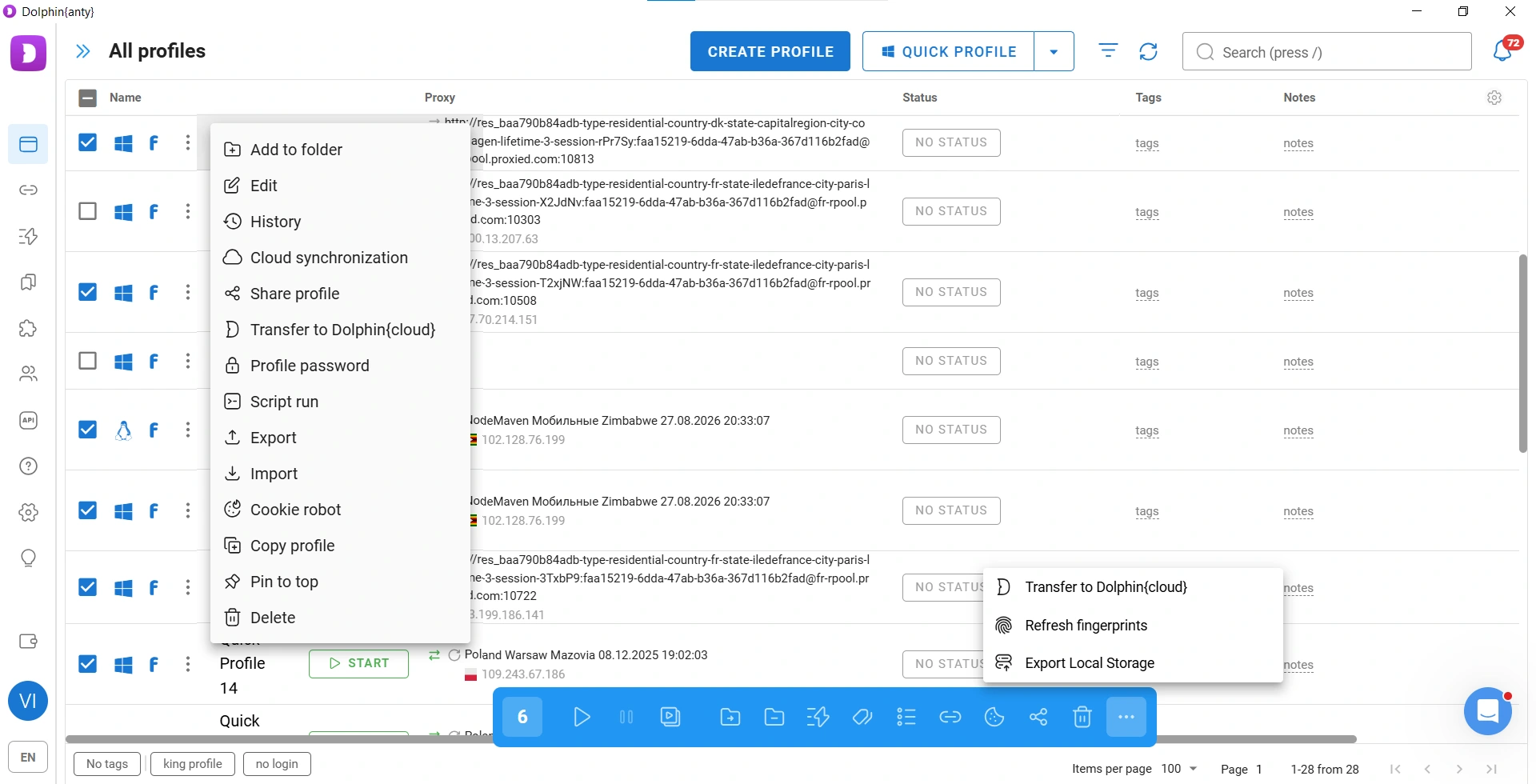
If you hover over the three dots next to a BP, you can manage it individually. All the same operations available through bulk actions are there, plus several additional options:
- View the BP's activity history;
- Set a password. This is useful for teamwork when you do not want other team members to access a particular browser profile;
- Launch Cookie Robot to collect cookies;
- Create copies of the profile with identical settings.
Managing Your Workspace and Profiles
Most of the work in Dolphin Anty is done through the profile list. Since the list can contain a large number of browsers, Dolphin Anty provides visual navigation tools such as tags, statuses, and notes.
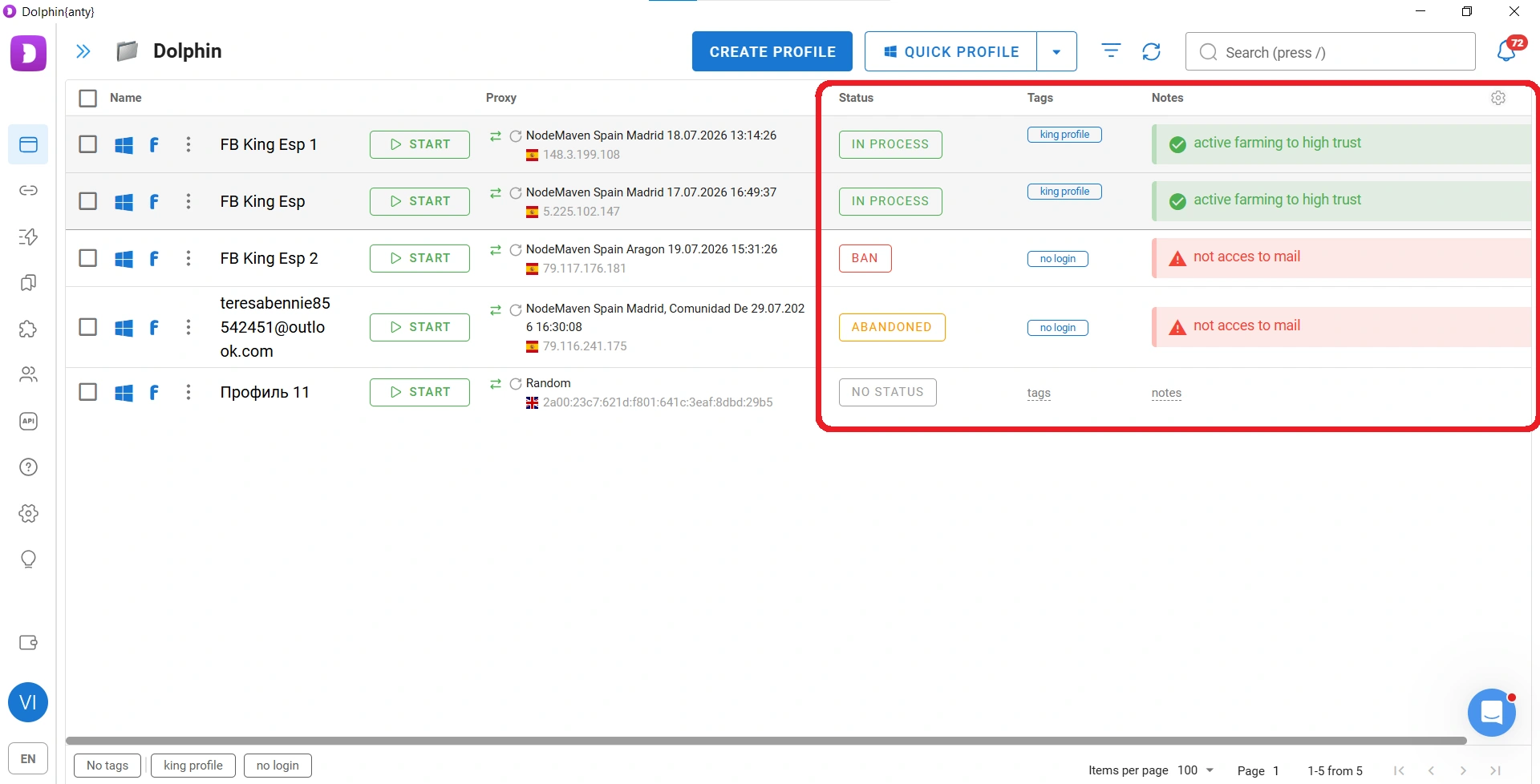
You can add, remove, and rearrange columns in the list. This is done through the settings menu (the gear icon in the upper-right corner).
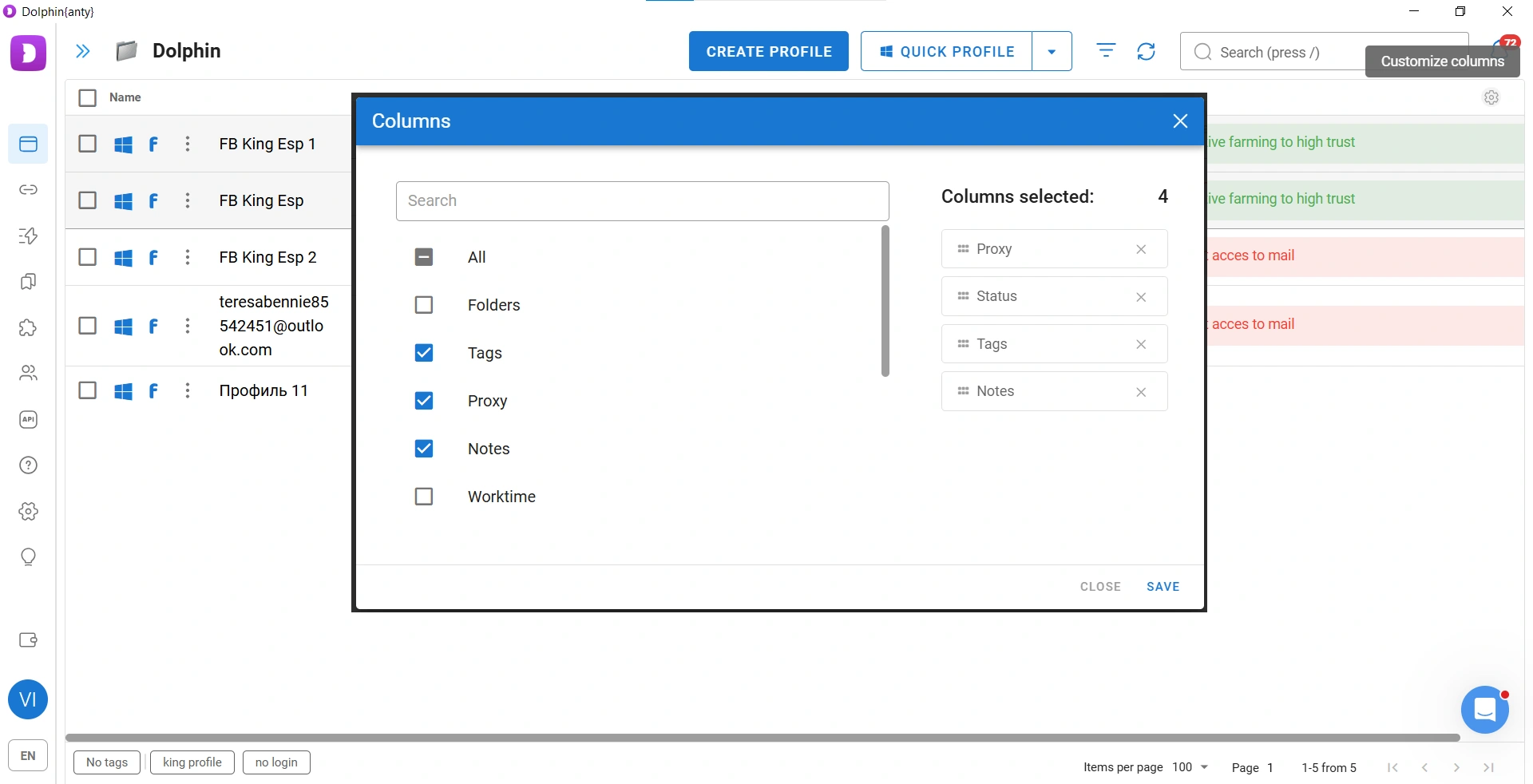
You can also make columns wider or narrower by dragging their borders. To do this, hover over the column boundaries at the top of the profile list.
Speeding Up and Scaling Your Work
Some multi-accounting operations can take a lot of time, such as building up cookies, changing fingerprints, or creating multiple identical browser profiles. Dolphin Anty has several features that let you perform these tasks in just 1–2 minutes.
Cookie Robot. Cookies help make your browser look more trustworthy to anti-fraud systems because an average user is unlikely to access a platform with an empty browsing history and no cookies. To launch the robot, select the feature → paste a list of URLs → start collecting cookies. If you have just created a browser profile, the robot will "build up its history," making the digital profile look more natural to websites.
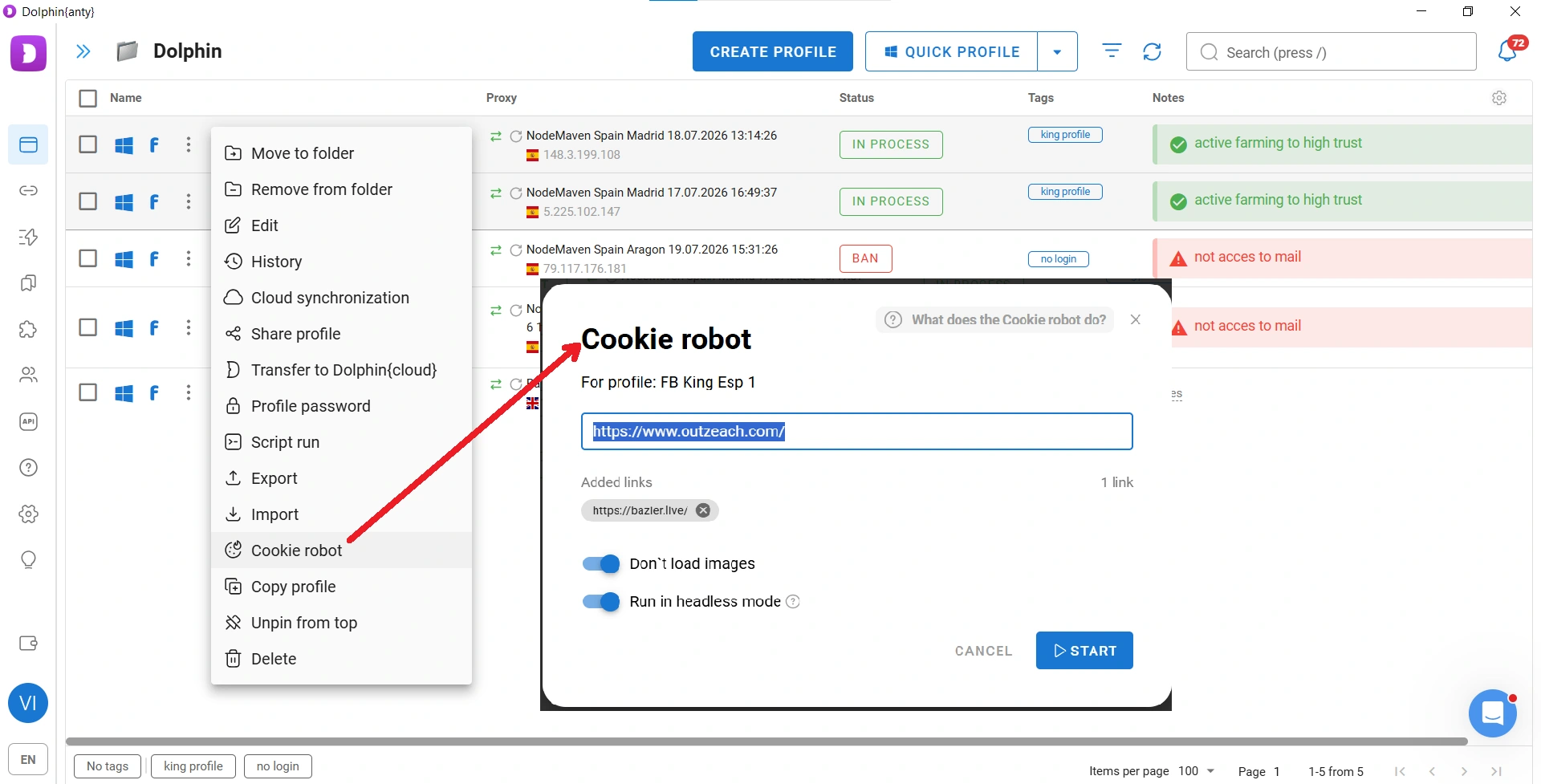
Recommendation! Once you have obtained a LinkedIn account and added it to a browser profile, use Cookie Robot from time to time to build up cookies. This behavior resembles that of an average user and can make the profile look more trustworthy to anti-fraud systems.
Changing the fingerprint. If you need a new browser environment, it may be easier to change the fingerprint and proxy than to create a new BP from scratch. Dolphin Anty has an Update Fingerprint feature for this purpose. It changes the fingerprint while keeping everything else, including the proxy, cookies, plugins, bookmarks, saved passwords, and browsing history.
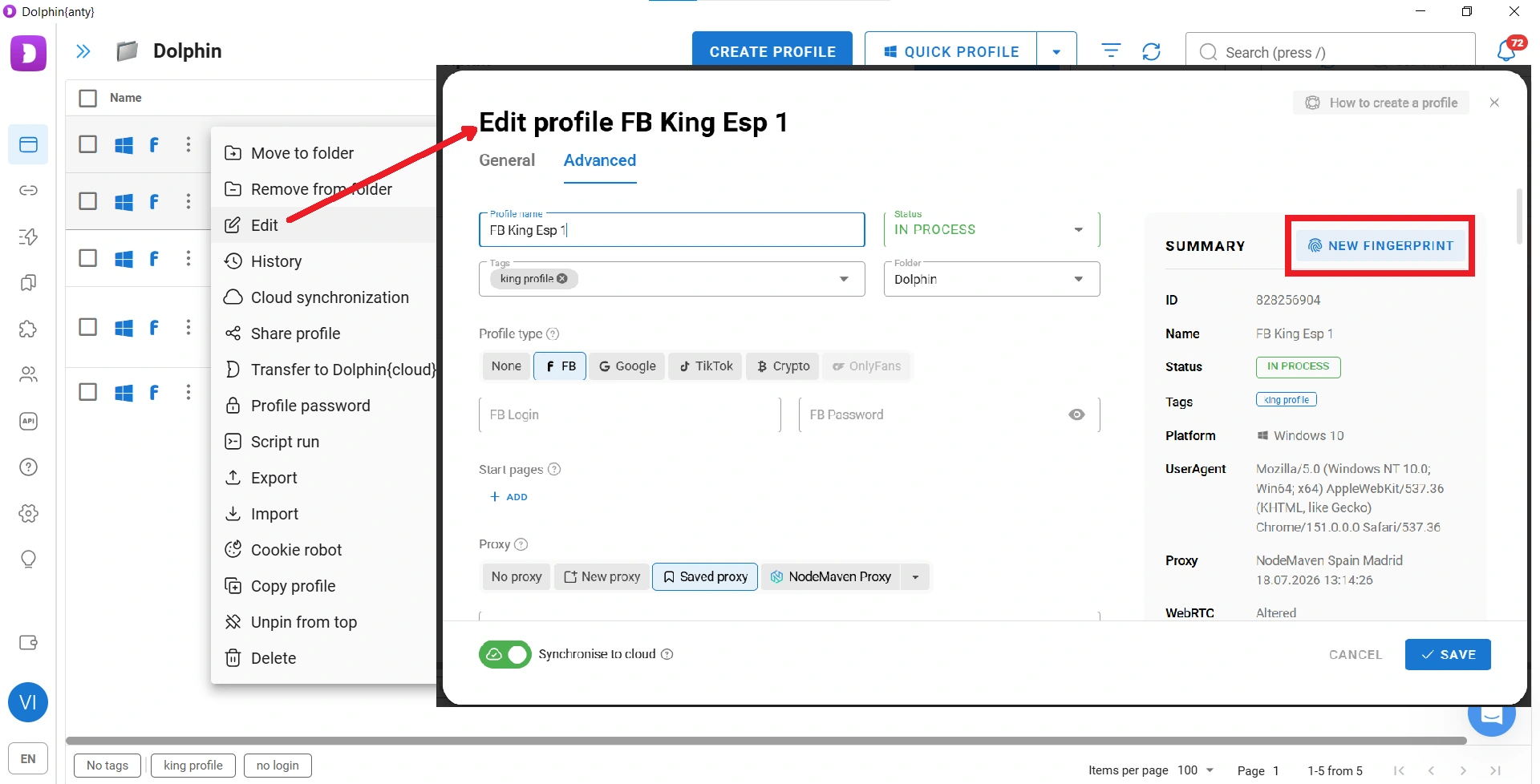
You can change the fingerprint in one click for either a single BP or several profiles at once using bulk actions.
Duplicating browsers. With just a couple of clicks, you can create multiple copies of a browser profile. For example, 17 of them.
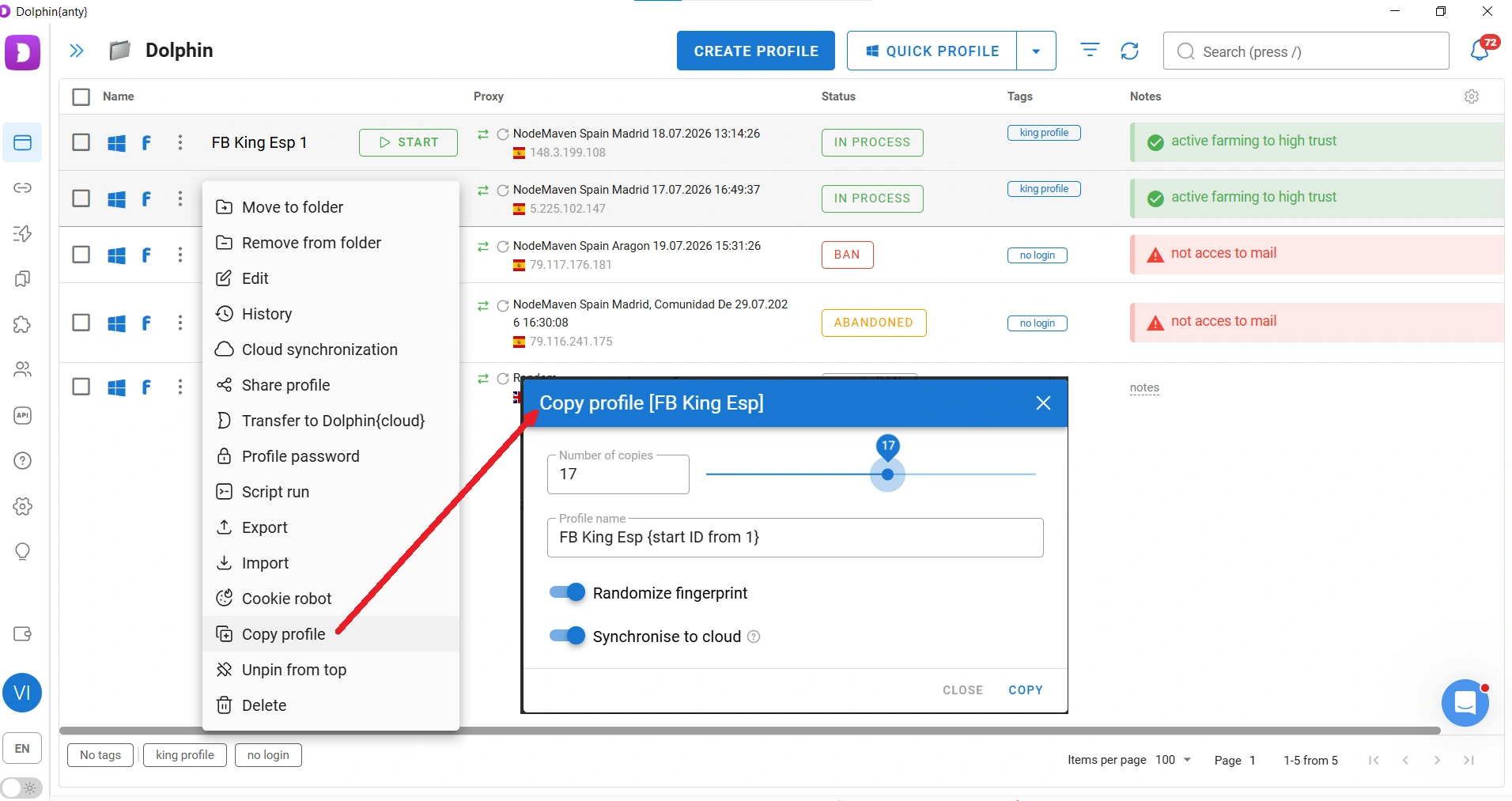
Everything will be copied, including proxies, plugins, bookmarks, and cookies. However, if you enable "Randomize fingerprint," each copy will have a different fingerprint.
Scenarios (scripts). Scenarios allow you to delegate simple actions to the antidetect browser, such as entering data, liking content, visiting accounts, and more. These actions can be launched simultaneously across any number of browser profiles.
Scenarios work like this: first, you build a script from a sequence of simple actions and save it. Then you can run it in your browsers.
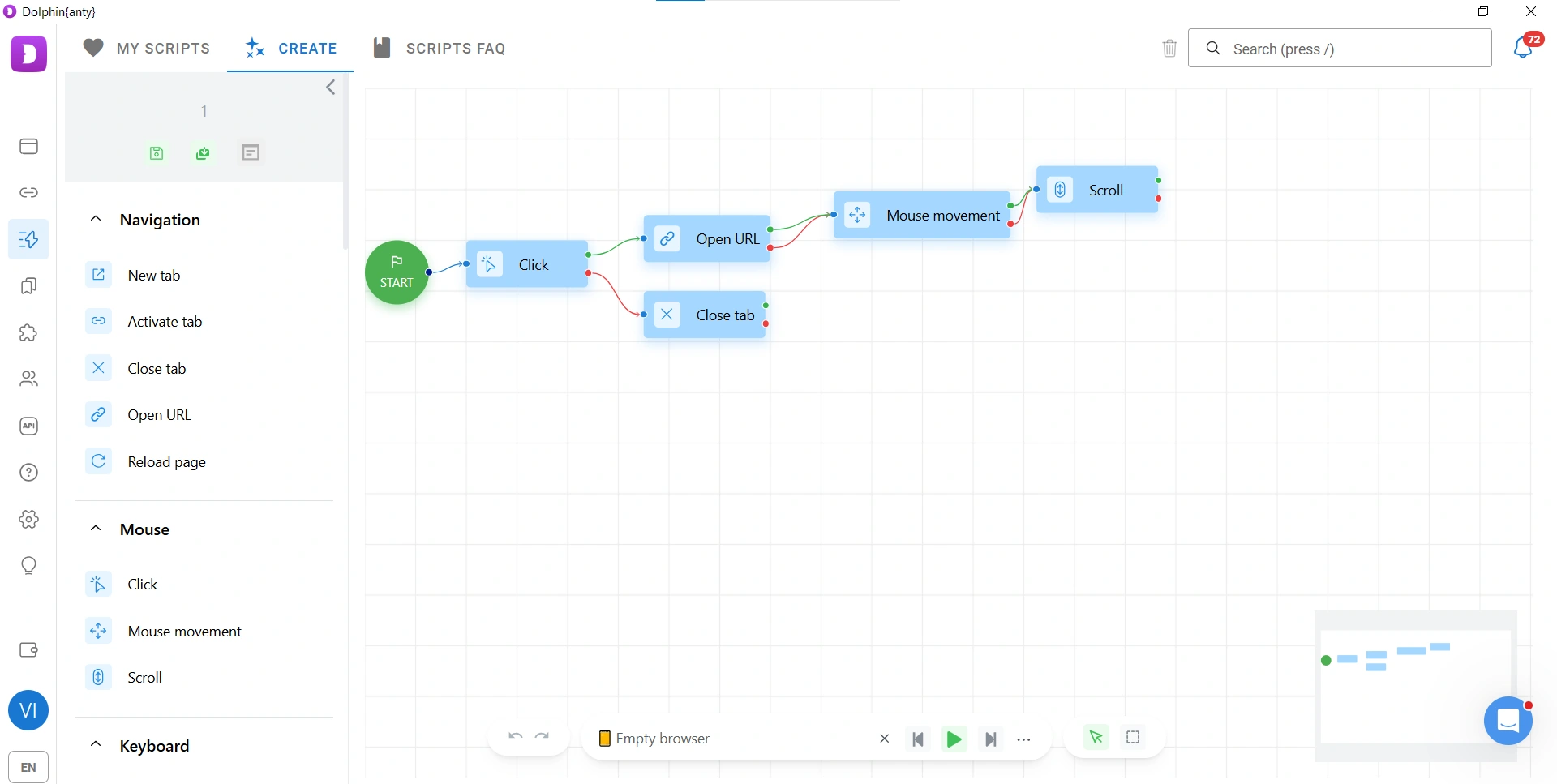
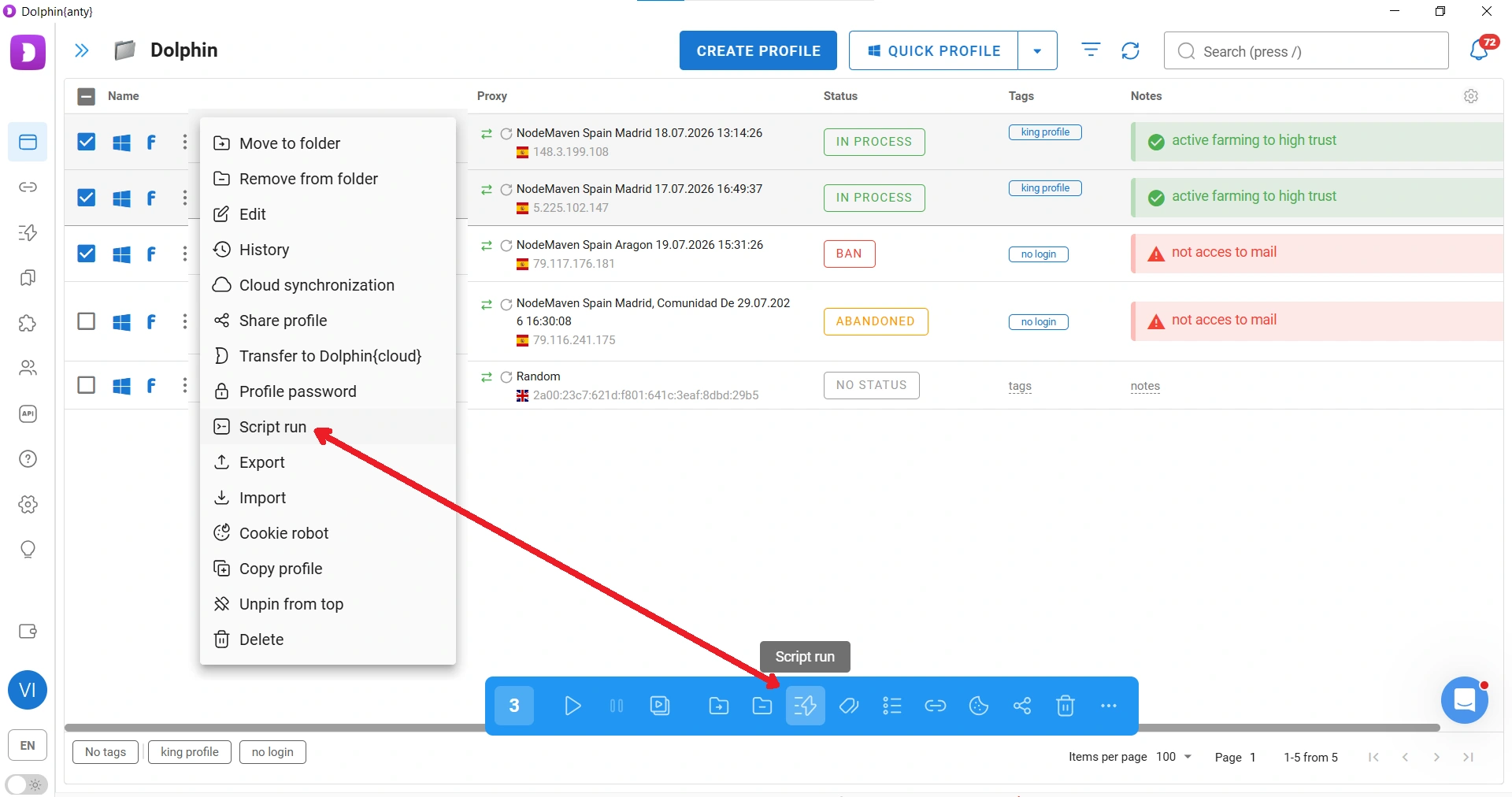
A Scenario can be launched at any time and across any number of BPs simultaneously.
Important! Automated activity can trigger LinkedIn's security systems. Use automation carefully and avoid it unless you really need it.
Synchronizer. Machines cannot perform every operation equally well. Some actions are better done manually, but even manual work can be accelerated through scaling. That is exactly what the Synchronizer is designed for.
To activate synchronization, select at least two browser profiles and assign one of them as the master profile.
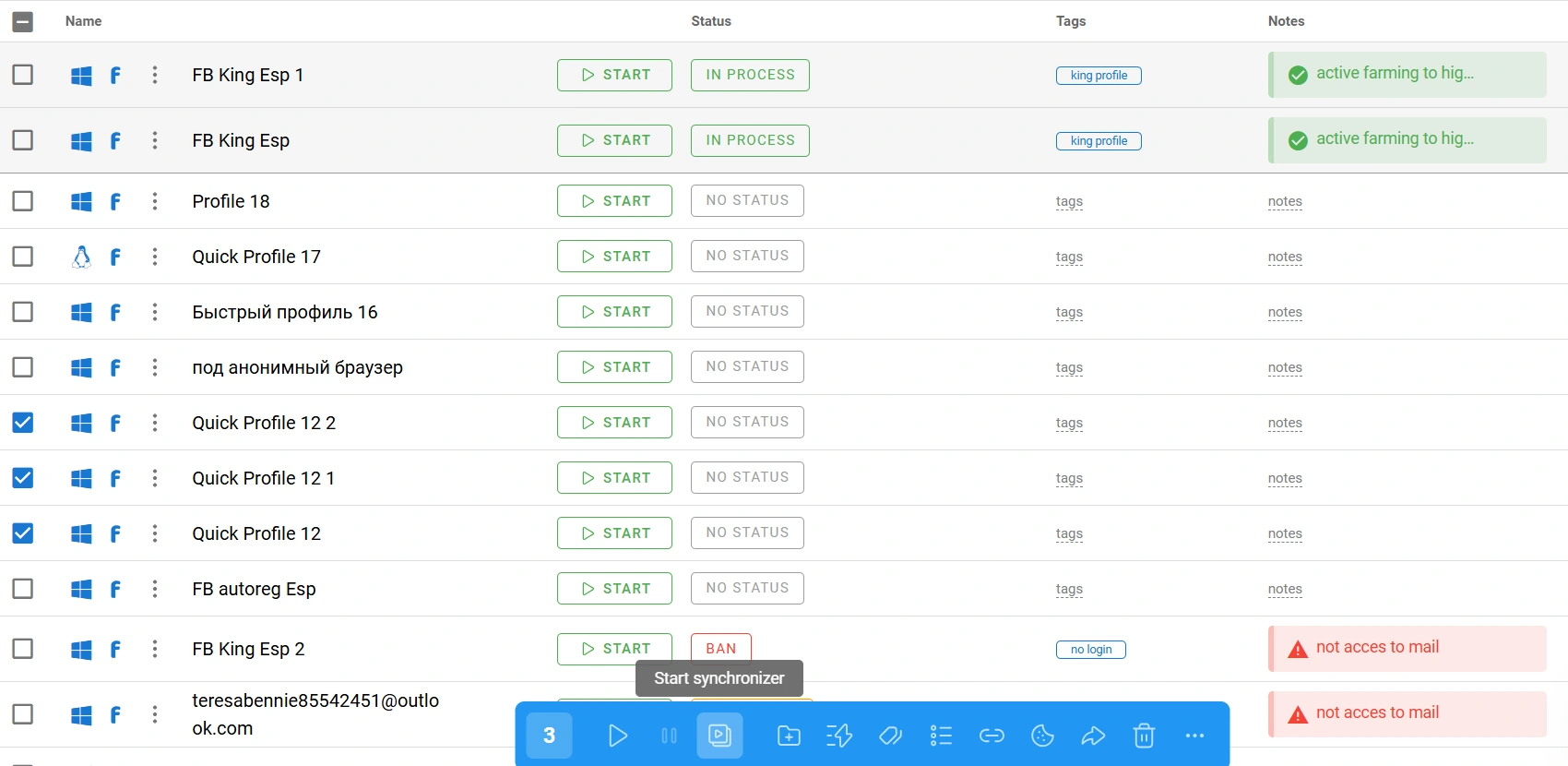
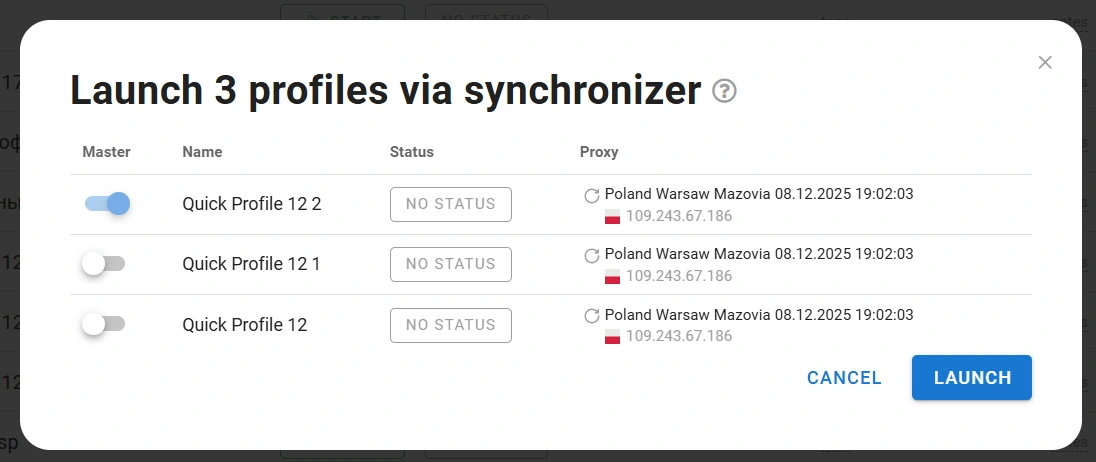
Once the profiles are running, perform the required actions in the master profile. They will automatically be repeated in the other profiles connected to the Synchronizer.
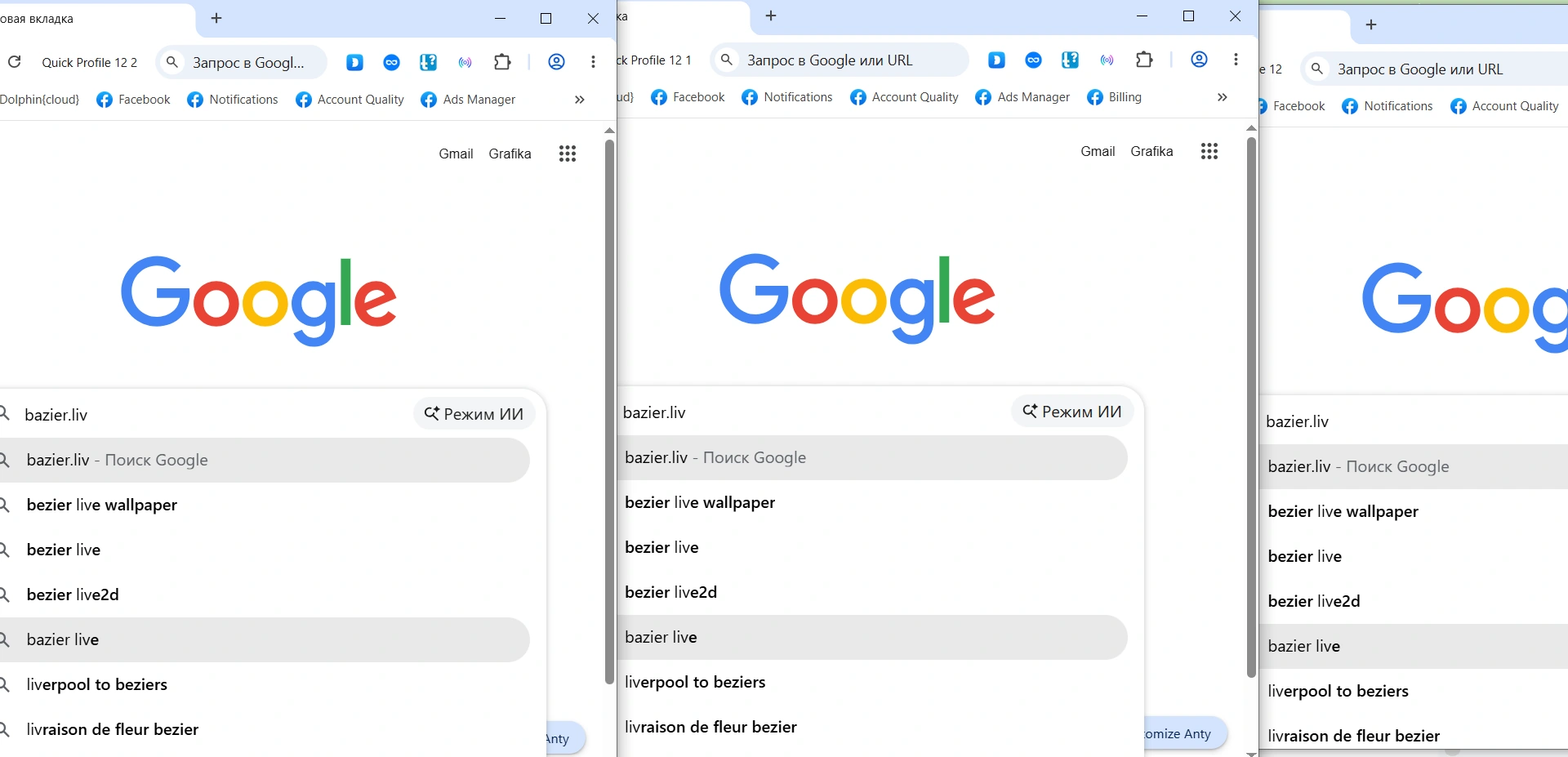
The Synchronizer can be used to scale tasks such as uploading images to avatars and ads, analyzing search results, and much more.
Teamwork
Multi-accounting is a large-scale activity and often requires several people. That is why Dolphin Anty allows you to add team members and assign them roles with corresponding access restrictions.
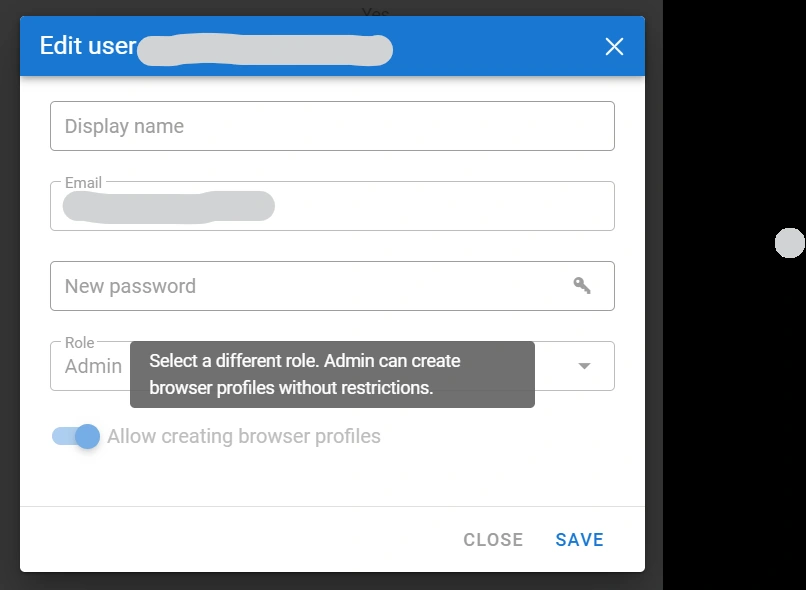
You can also transfer browser profiles to other team members, which is much better than simply sharing account login credentials. Ready-made Scenarios and bookmarks can be shared as well.
Best Practices and Mistakes to Avoid
When using Dolphin Anty with Outzeach, there are several important rules to follow.
Do not change the proxy immediately after receiving an account! Start with the connection already assigned to the LinkedIn account. Once you have worked with the profile for some time and it has "gotten used" to your device, you can change the proxy location.
Do not modify the fingerprint unless you know what you are doing! When creating a new browser profile, you can manually change certain fingerprint parameters, such as the GPU, WebGL, and others. However, if you do not understand how fingerprinting works, it is better to leave these settings alone. Dolphin Anty maintains a database of fingerprints from real users and selects the most suitable one when you choose an operating system and proxy.
Cookies should match the proxy country. When you create a browser profile, the antidetect browser does everything it can to make you look like a user from the country of your proxy. However, you still need to collect the cookies yourself. If you use Cookie Robot, provide it with links to regional websites that are popular in the country your proxy is configured for.
Conclusion
Dolphin Anty allows you to bring dozens or even hundreds of LinkedIn accounts together in a single workspace while maintaining a separate digital environment for each one. Isolated browser profiles, separate proxies, and unique fingerprints help minimize overlap between accounts and reduce the risk of restrictions. Bulk actions, Cookie Robot, Scenarios, and the Synchronizer make it possible to manage a large setup without manually repeating the same operations over and over again. This means you can gradually scale your infrastructure from just a few accounts to a massive account farm.
Visit the official Dolphin Anty website and use promo code OUTZEACH20 on your first payment. You can also use the antidetect browser for free, with a limit of up to 3 browser profiles.